
Workflow
The Workflow module helps users chain different jobs together, managing sequential execution and dependencies between jobs. This module is available to all users.
Existing Workflows
This module displays a table of workflows created by the current user.

- Filter: Filters can be applied based on any column in the table, excluding the Operationcolumn. Click Query to filter workflows that meet the criteria.
- Create: Create a new workflow.
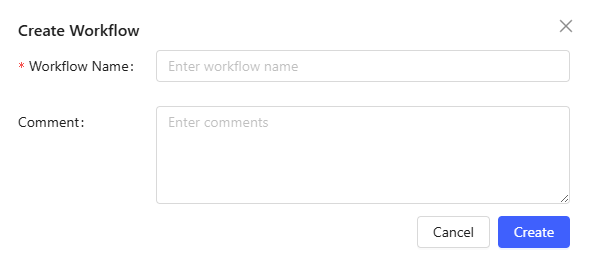
Enter the workflow name and comment (optional) to describe the workflow. Click Createto complete creating.
- Edit: Click a workflow name to open the editing page.
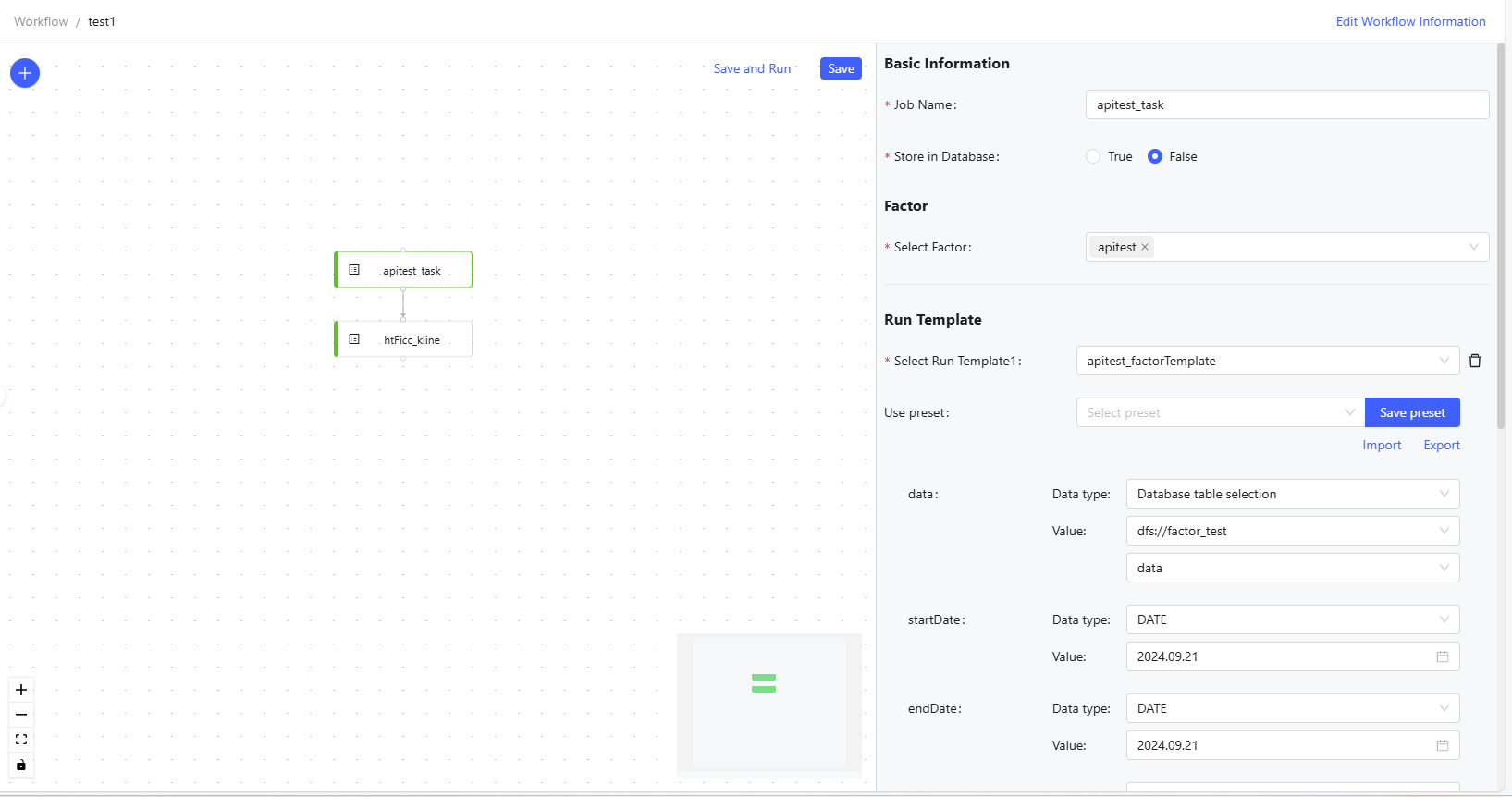
Figure 3. Edit a Workflow - Click “+” button to display the job list, including: factor, factor evaluation, data import, strategy, attribution, and visualization jobs. Drag and drop jobs into the workflow.
- Click a job within the workflow to view its detailed information on the right side, including: basic information, factor, and run template.
- Jobs within a workflow are connected via nodes, forming a sequence of execution. Note that jobs must be connected in a serial manner and isolated jobs are not allowed when there are more than one job in the workflow.
- Save and Run: Save the workflow and run it immediately.
- Save: Save the workflow without running it.
- Edit Workflow Information: Modify the workflow information.
- Run Now: Click to immediately run the workflow.
- Scheduled Job: Set a fixed time and frequency to run the workflow on a schedule.
- Delete: Delete the workflow.
Existing Jobs
The module displays a table of jobs created by the current user.

- Filter: Filters can be applied based on any column in the table, excluding the “Operation” column. Click Query to filter jobs that meet the criteria.
- Create: Create a new job. Select the job type and enter the job name and comment (optional) to describe the workflow. Click Create to finish creating. Depending on the job type, users must select the corresponding template, factor, or strategy.
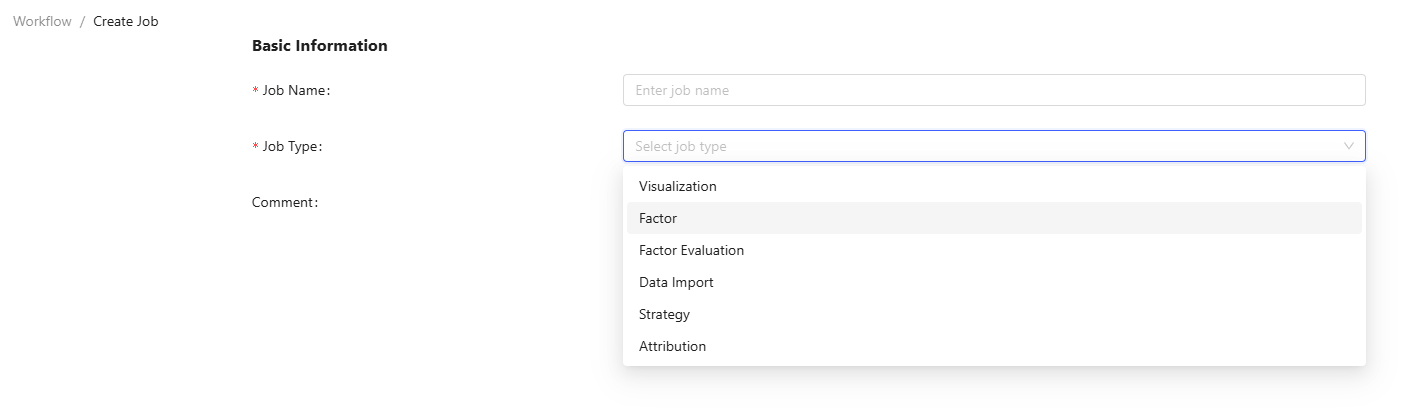
- Edit: Click the job name to edit it, including the job information and execution parameters.
- Create Workflow: Create a new workflow and add the job.
- Delete: Delete the job.
Scheduled Jobs
This module displays a table of scheduled jobs by the current user.

- Edit: Click the workflow name to modify the start and end time, execution time, and frequency.
- Delete: Delete the scheduled job.