
Public Library
The public library houses all shared code. Users can:
-
filter code by System/Department
-
view code listings across various categories, including Factor Module, Factor Run Template, Strategy, and Common Module
This tab is available for all users.

Factor Module
The Factor Module displays a table of both system and department-level public factors, showing details like factor module, factors, properties, tags, access level, publish date, creator, and comment. It includes several built-in system factors such as alpha101, tick, snapshot, common, and ta.
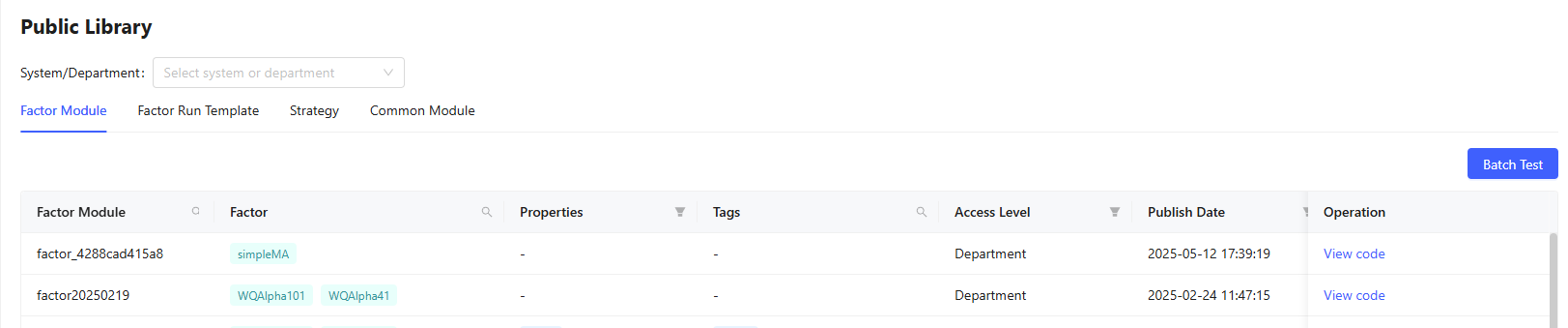
Test Factor Modules
Click Batch Test to run tests on one or multiple factors. To Create Batch Test:
- Select factors using Select Factor dropdown.
- Choose a run template. To use multiple templates, click Add Run Template.
- Specify whether factor evaluation should be performed. If set to “True”, an Evaluation template is required.
- Optionally, choose a visualization template.
- Click Submit to start the factor test.
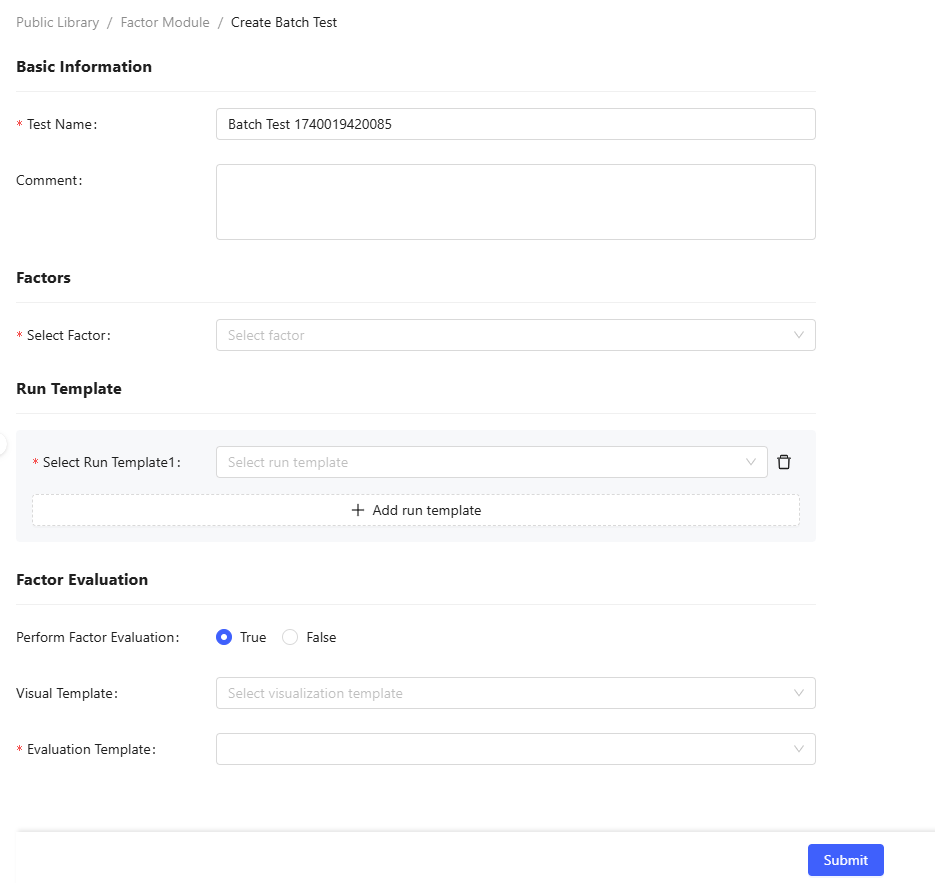
View Factor Modules
Source code visibility depends on the factor module's encryption status. Unencrypted modules allow any user to view their code through the View Code button. For encrypted modules, this option is hidden from general users, though the creator maintains full access to view the code.
Publish Factor Modules
Department administrators can request to elevate their department's modules to system level through the Publish option, pending approval from users with system-level permissions.
Delete Factor Modules
System-level factor modules can be removed by system administrator (admin) or authorized users by clicking Delete, while department-level factor modules can be deleted by department administrators.
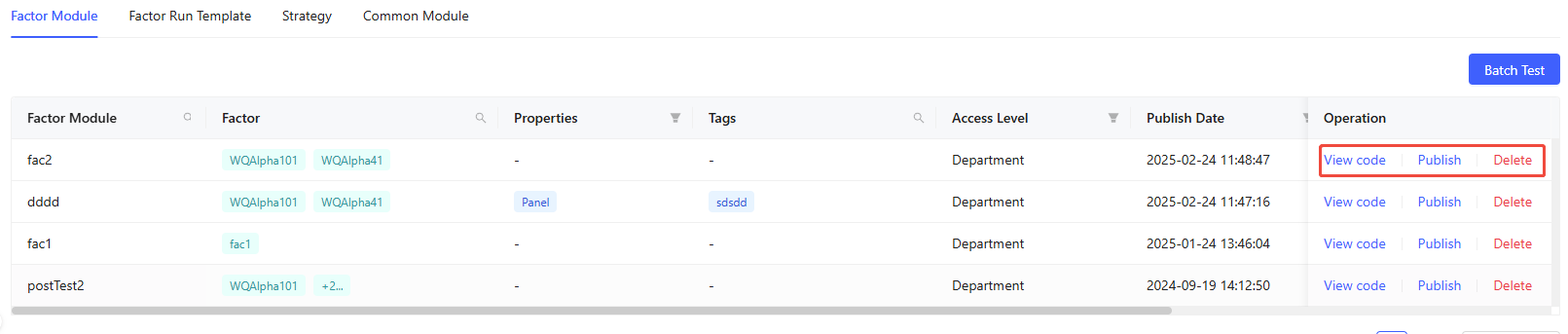
Factor Run Template
The Factor Run Template displays a table of both system and department-level public templates, showing details like template name, properties, tags, access level, publish date, creator, and comment.
It includes several built-in system templates such as sql_without_groupby, sql_with_groupby, prepData, and panel_call. It is recommended to use prepData and panel_call together.

View Run Templates
If the run template was not encrypted during publication, other users can view its source code by clicking View Code. If the template is encrypted, this option will be unavailable. However, the creator of the template can always access its code.
Publish Run Templates
Department administrators can request to elevate their department's templates to system level through the Publish option, pending approval from users with system-level permissions.
Delete Run Templates
System-level run templates can be removed by admin or authorized users by clicking Delete, while department-level run templates can be deleted by department administrators.

Strategy
The Strategy displays a table of both system and department-level public backtesting strategies, showing details like strategy name, strategy type, data type, message type, tags, access level, publish date, creator, and comment.

Run Backtesting Strategies
If the strategy was not encrypted during publication, other users can view its source code by clicking View Code. If the strategy is encrypted, this option will be unavailable. However, the creator of the strategy can always access its code.

View Backtesting Strategies
If the strategy was not encrypted during publication, other users can view its source code by clicking View Code. If the strategy is encrypted, this option will be unavailable. However, the creator of the strategy can always access its code.
Publish Backtesting Strategies
Department administrators can request to elevate their department's strategies to system level through the Publish option, pending approval from users with system-level permissions.
Delete Backtesting Strategies
System-level strategies can be removed by admin or authorized users by clicking Delete, while department-level strategies can be deleted by department administrators.

Common Module
The Common Module displays a table of both system and department-level public modules, showing details like module name, tags, access level, creation time, update time, creator, and comment. It includes several built-in system modules such as alphalens, dolphinBrinson, and dolphinCampisi.
Functions from any general module can be accessed using
moduleName::functionName.

Create New Modules
Click + Create button and fill in the popup to create new modules:
- Enter module name
- Add optional tags and comments for filtering
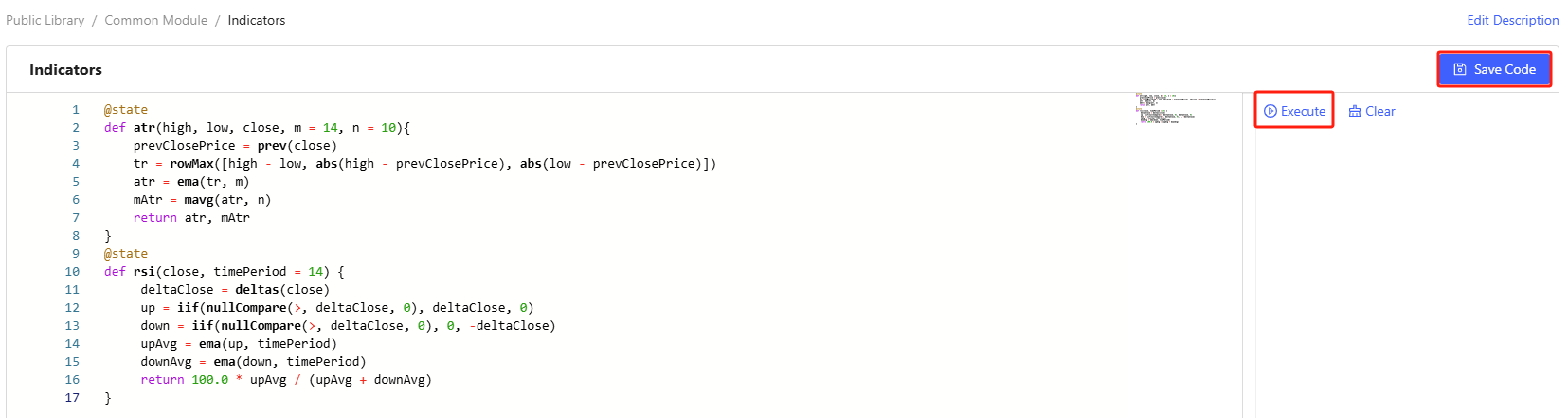
- Click Create and enter the code editing page, where you can write the function code. During the writing process, you can test code snippets by selecting them and clicking Execute (or use Ctrl+E)
- Click Save Code to complete the module creation
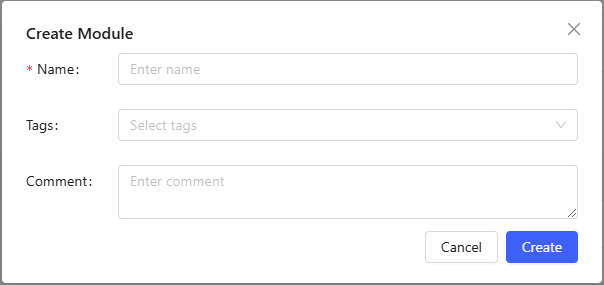
View Module Functions
The common modules are accessible for all users. Users can view the source code by clicking View Code.
Edit Module Functions
Module creators can edit their code by clicking their module's name to access the editing page.
Delete Existing Modules
Common modules can be removed by admin, users with review permissions or the corresponding creator by clicking Delete.
