
Homepage
Users will be directed to the homepage after successful login, as shown in the figure below.
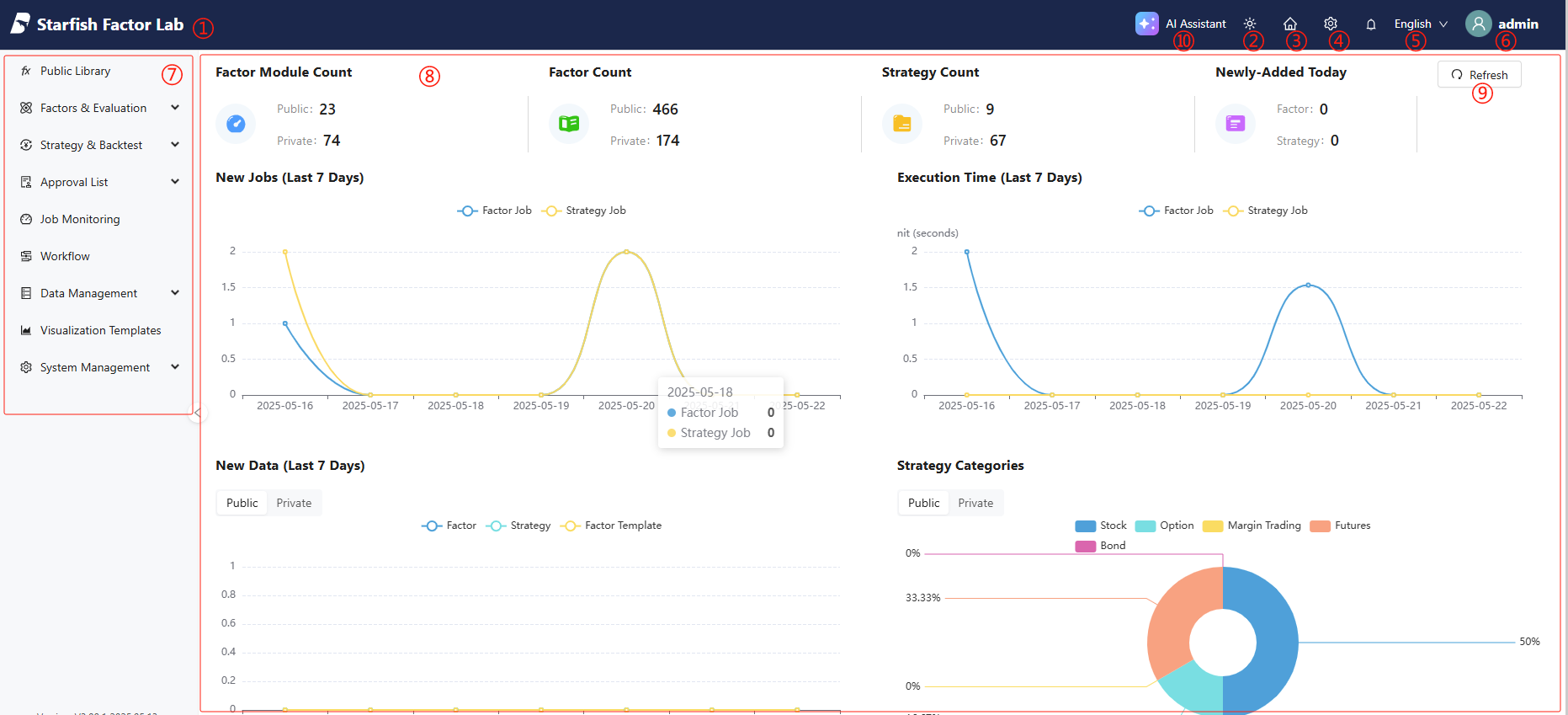
①Return to the homepage.
②Switch between dark and light mode.
③Return to the homepage.
④Configure the following settings:
- Decimal Places: Set the number of decimal places to retain.
- Scientific Notation: Enable or disable scientific notation for values that are difficult to compare intuitively for clarity.
⑤Displays notifications of public submission, reviews, etc. Detailed information is available in Approval List module and other modules where related information is publicly disclosed.
⑥Change your password and log out.
⑦Click to go to each functional module. Some modules are only accessible to users with specific permissions.
⑧Displays information including factor module count, factor count (total number of factors of all modules), strategy count and categories, as well as recent updates.
⑨Refresh the current page.
⑩Click to open the chat window and start new chats with the AI Assistant.